COMPARE Module
Confident decisions start with smart comparisons.
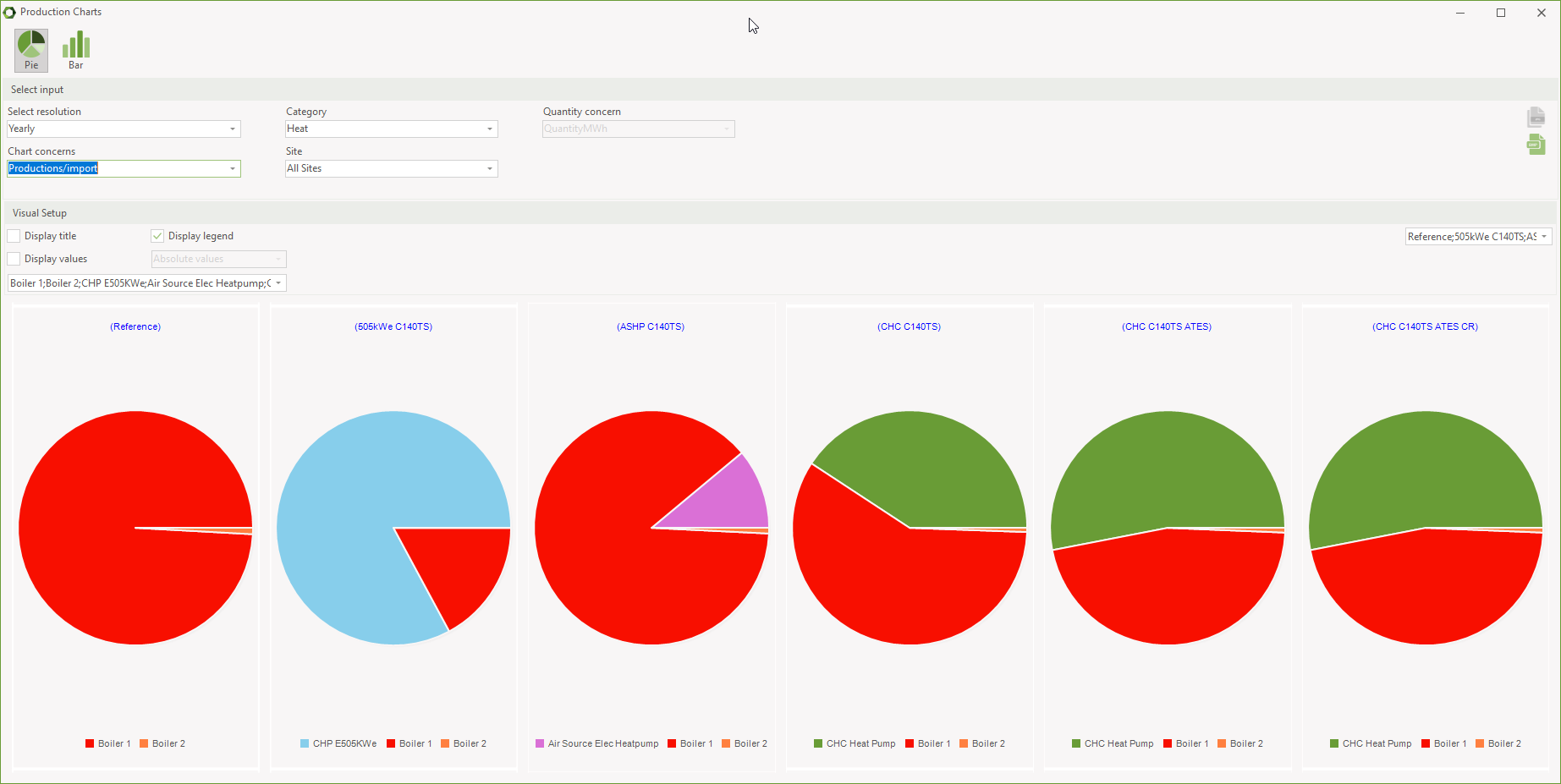
With the COMPARE module, it is possible to create multiple alternatives in the same project file and easily compare the technical and economic results.
Choose the best scenario with confidence
Compare Scenarios with Ease
The COMPARE module allows you to create multiple investment or design alternatives in a single project file — and assess both technical and economic performance side-by-side.
Evaluate Multiple Investment Paths
Ideal for feasibility studies and strategic planning, COMPARE gives you a clear overview of the financial and operational implications of different configurations or assumptions.
Efficient Setup with Shared Assumptions
Start with a reference model and create synced alternatives in a few clicks. General changes made to the reference are reflected across all synced alternatives — while still allowing custom changes in each.
Side-by-Side Results
Whether you’re comparing technology options, financing models, or regulatory frameworks, COMPARE helps you identify the most attractive path forward — fast.
Ready to choose smarter solutions faster?
The COMPARE module turns complex scenario analysis into a clear decision-making tool.
Required modules
To use the COMPARE module effectively, you need the following modules:
energyPRO Modules
DESIGN
Optimise yearly energy conversions for heat, cooling, and electricity, typically using hourly data.
For any energy system
Discover how energyPRO empowers energy professionals to model, optimise, and plan projects of any size and type—from district energy heating and cooling to Power-to-X, decarbonisation, and beyond.
Whether you're building for efficiency, sustainability, or profitability, energyPRO adapts to your goals. Explore real-world use cases and see how one powerful tool can unlock endless possibilities for your next energy project.