


Service Pack 2 for energyPRO 5.1 brings back the production cost graph, adds a setting to prevent simultaneous market import and export, and adds video guides to the Setup Guide.
Production cost graph is back
In the first release of energyPRO 5.1 this spring, we had to remove the priority graph. This was because resources were generalised: heat, electricity and other resources are no longer built in.
Service Pack 2 brings the graph back in the Production, graphic report under a new name: Production costs.
For any resource produced by a conversion unit, you can now see its production cost. Each curve shows the full cost of running the conversion unit, including every payment linked to it. If the unit imports or exports a resource, that cost or earning is included in the curve.
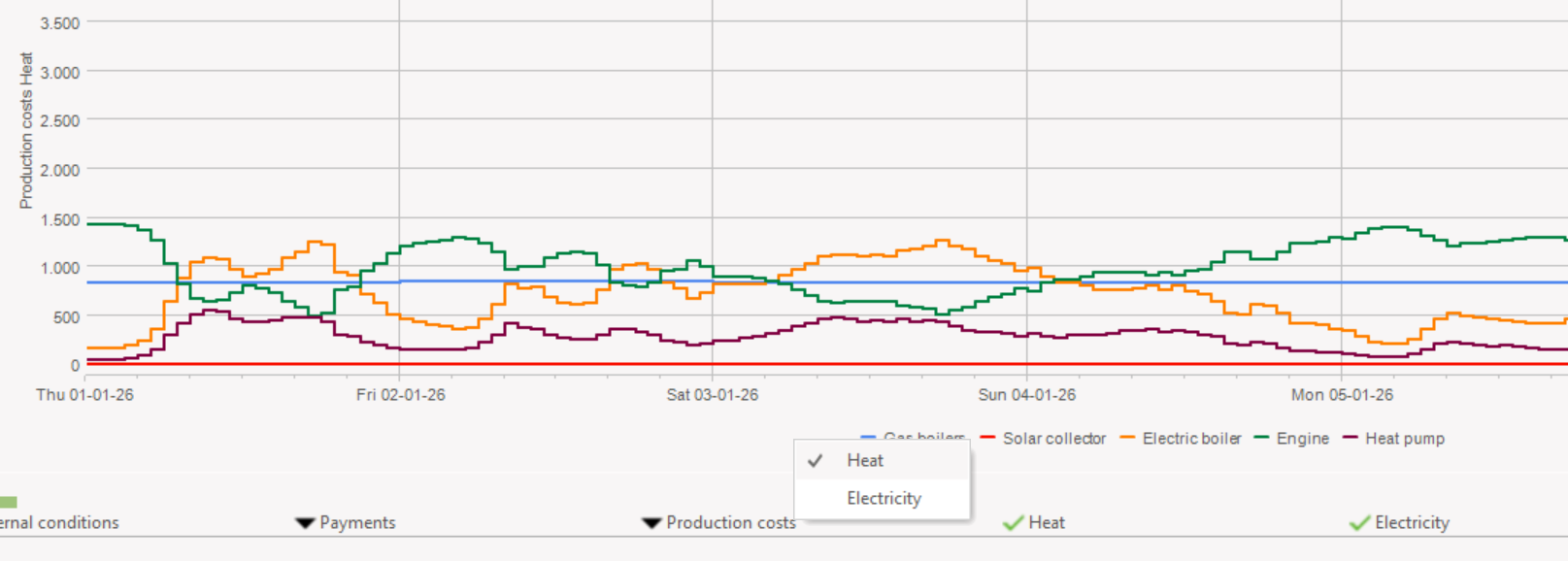
Production cost heat
In this example, the boiler and the engine import natural gas, the engine exports electricity, and the heat pump and electric boiler import electricity. The fluctuating electricity prices are reflected in the production cost.
Prevent simultaneous import and export on a market
By default, the MILP solver in energyPRO allows a market to import and export in the same time step. This is usually harmless, since importing normally costs more than exporting earns.
That isn’t always true. If you use different time series or fixed values for import costs and export earnings, importing and exporting at the same time can pay off in some time steps. energyPRO now warns you when this happens and shows when and how often.
If your payment setup is correct and you still want to rule out simultaneous import and export, use the new setting on the market.
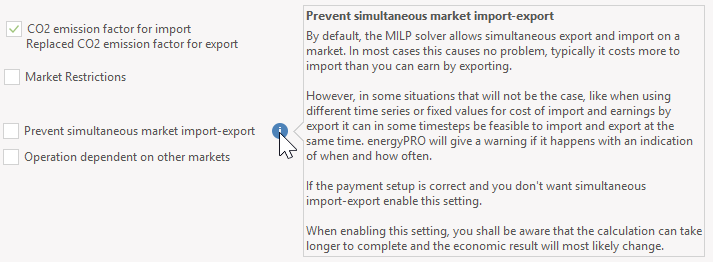
New market setting
Note: with this setting on, calculations can take longer, and the economic result will probably change.
Quick Guide with video tutorials
The Quick Guide has a lighter graphic design. More importantly, each page now links to a short video that explains what the page does.
You’ll find the Quick Guide on the File page.
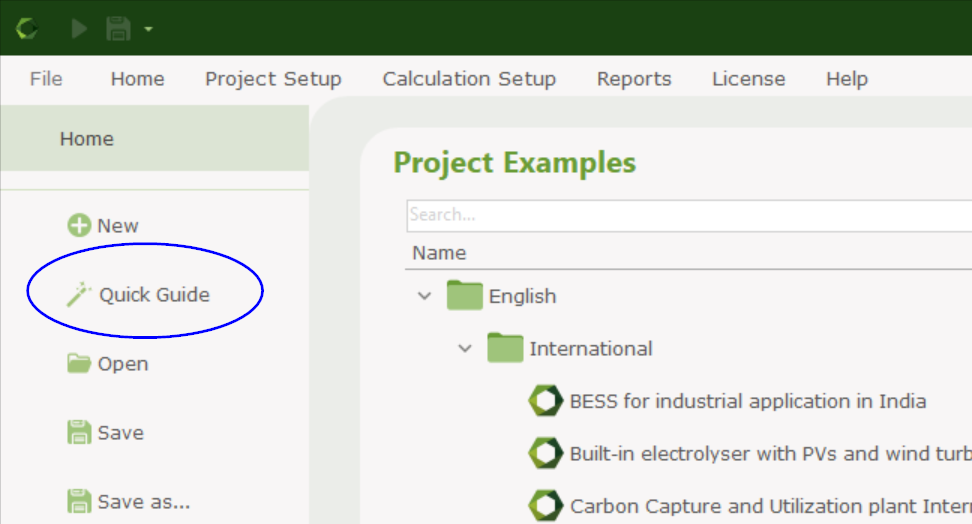
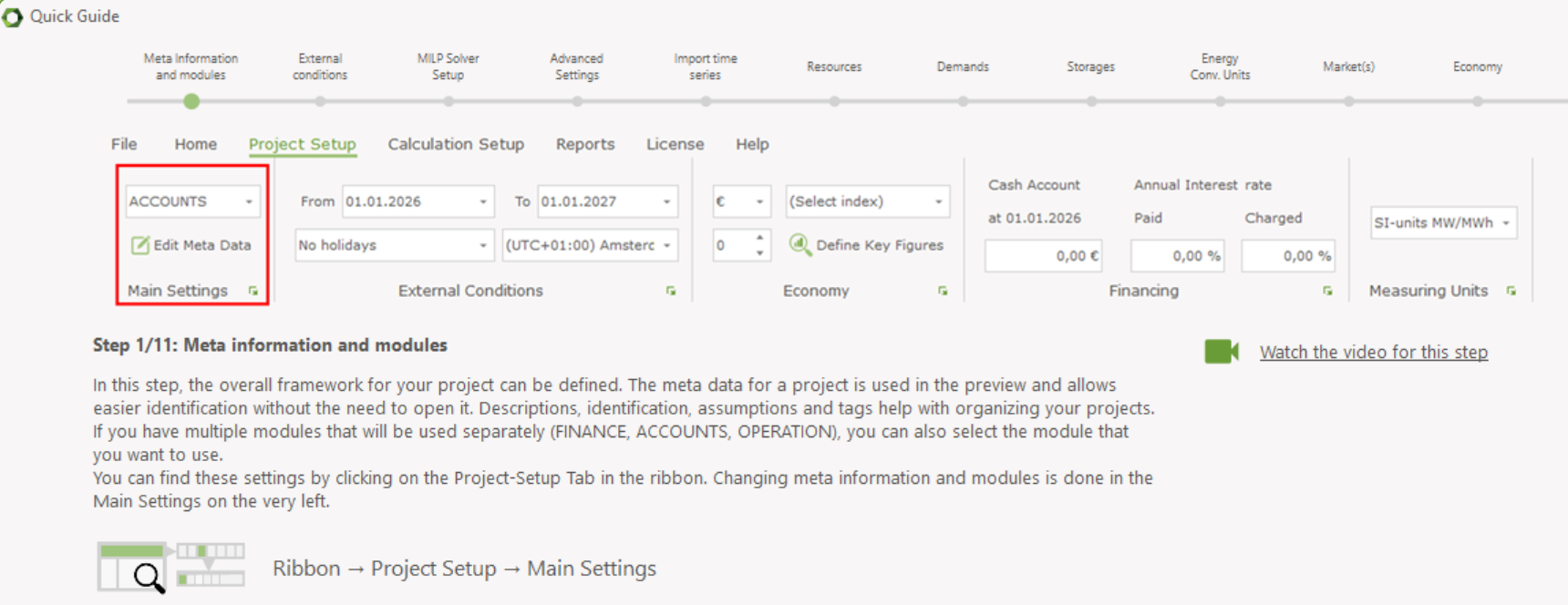
Quick Guide
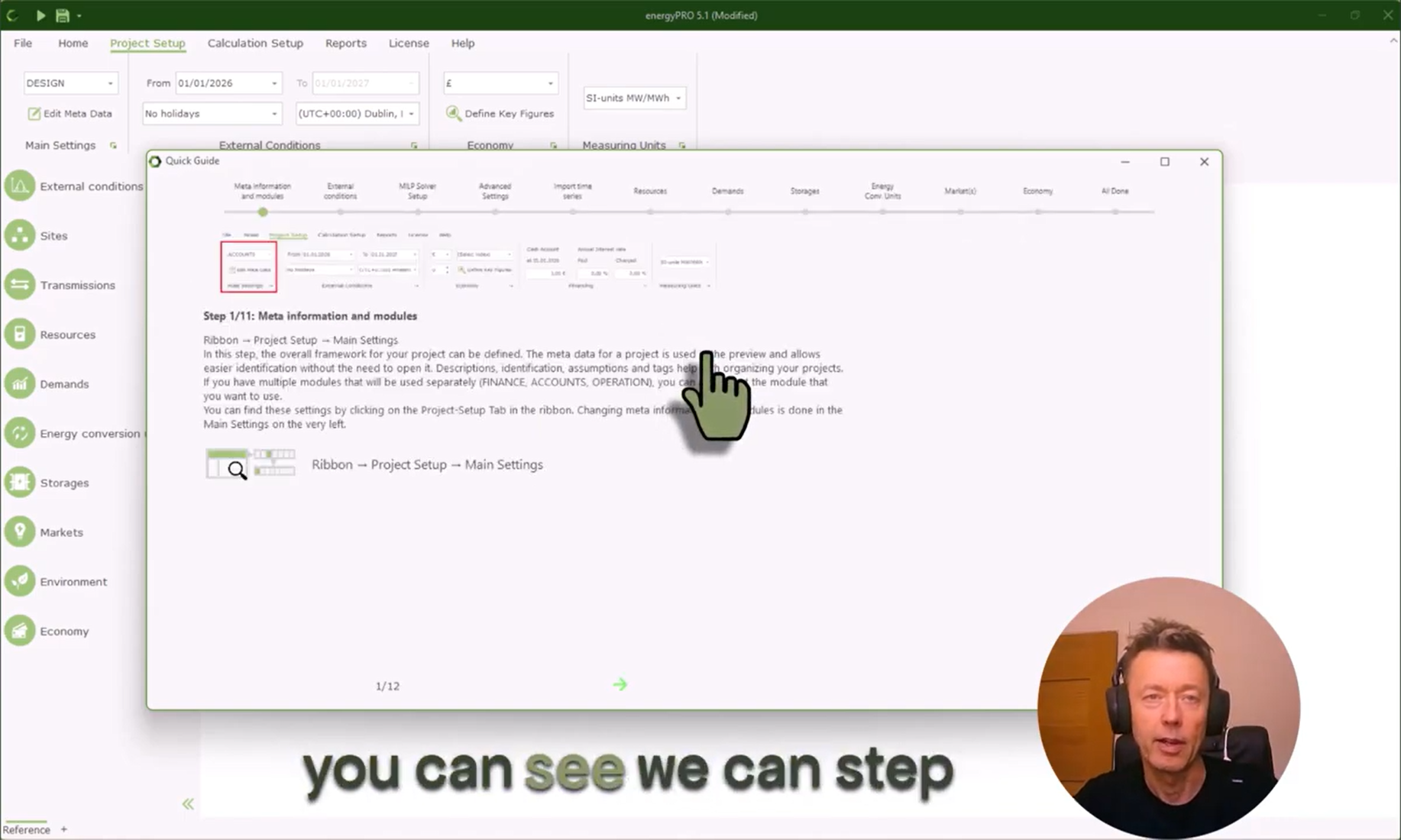
Quick Guide video
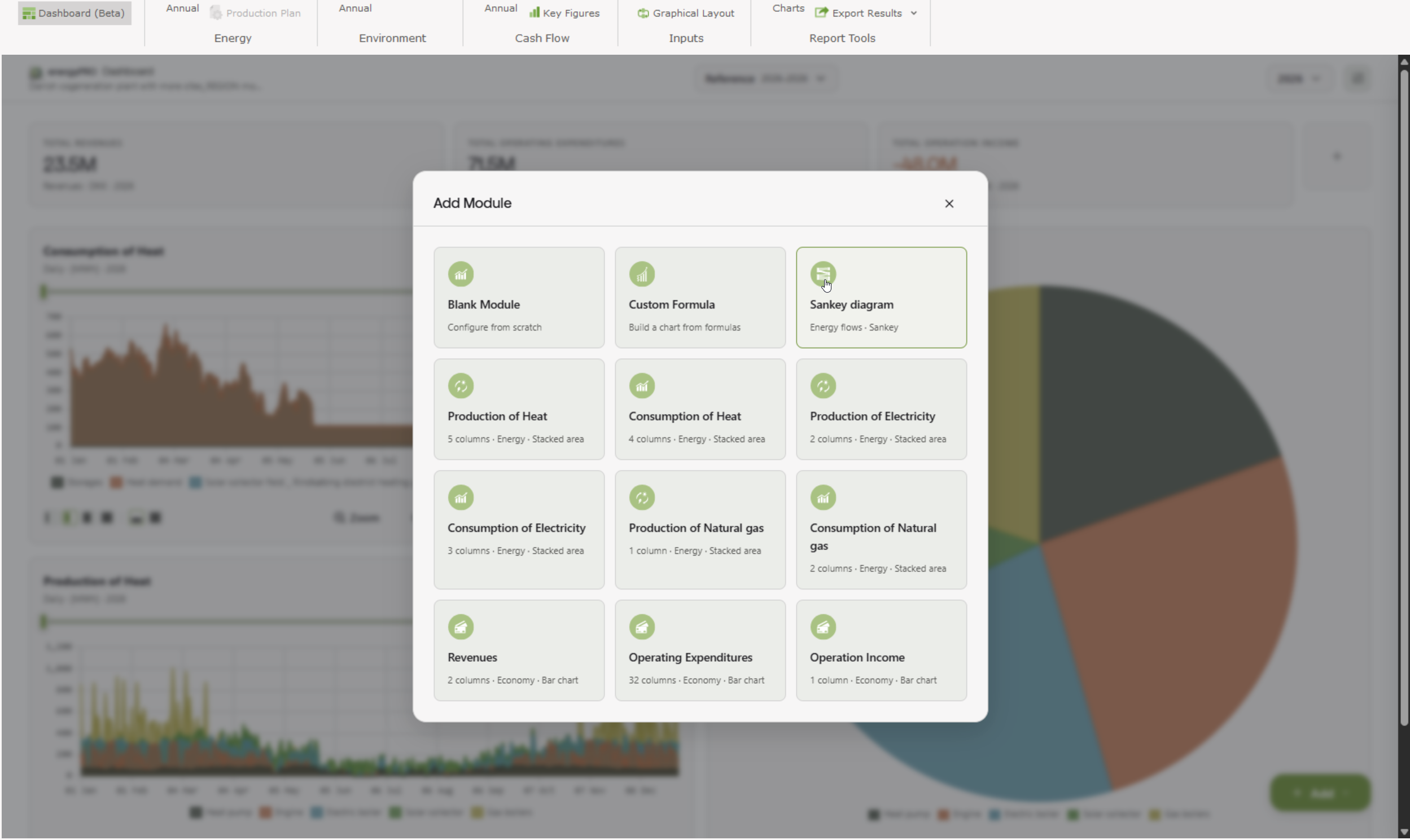
Improved dashboard
The dashboard has been updated so it’s easier to add common charts, such as total heat production or electricity consumption.
Download
You can download the latest version of energyPRO here.
Do you wish to upgrade your energyPRO license to version 5.1? Contact us here.
Would you like to get a two-week test license? Click here.